
How It Affects You – 01
On Tuesday (8/22/23), Bleeping Computer reported that scraped user data from DuoLingo was posted to a hacking forum. While the article goes into the history of the event and how it was done, it doesn’t really idenitfy what cyber actors can do with that data. Among the many articles that followed this, Laptop Mag on MSN noticed that you can use Have I Been Pwned to see if you were one of the 2.6 million accounts out of 760 million (or 1/3 of 1%).
Let’s explore what they got and how they can use it, so you can be better prepared.
What Did They Get?
What’s an API Anyway?
Per the article, the data found was largely scraped from DuoLingo’s API. But what does that mean?
The API (application programming interface) is a way for one application to talk to another – like what lets your favorite pizza place have a “Pay with Paypal” button. In something like this, the pizza place tells PayPal’s API it wants to make a payment from you to the pizza place. Paypal has you log in to verify that it’s you, makes the payment within PayPal, then PayPal’s API tells the pizza place’s API that the payment was successful.
Typically, the service offering the API will require you to sign up with a business account, so that the app knows who you are.
Scraping?
Now, DuoLingo doesn’t have an official API offering on its website, but that didn’t stop folks from looking into the phone app code and building an unofficial API. And it seems, that it didn’t always ask for the user’s password along with their username.
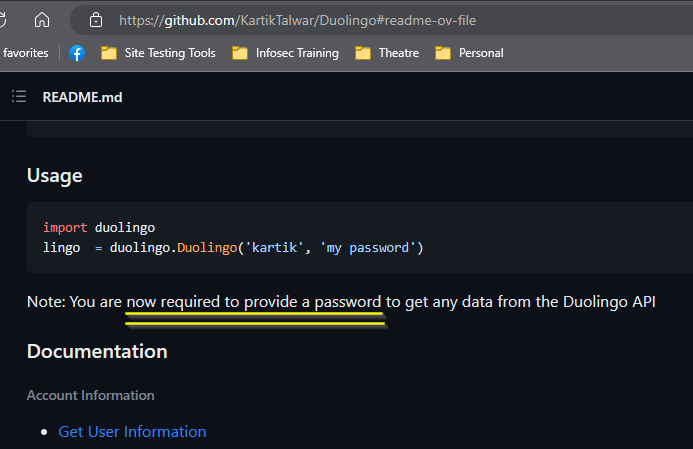
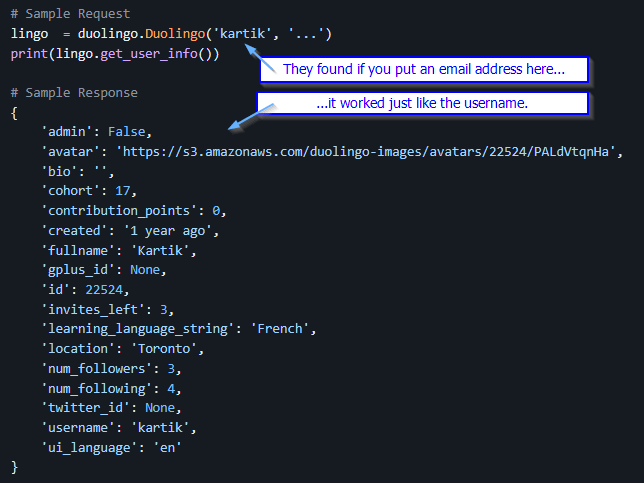
This means, anyone could try username after username and see which ones came back with stuff. Your real name, how long you’ve had the account, which language you were learining, etc. And then someone tried an email address as a username – probably on a DuoLingo they account created, so that they knew the address was in the database. It worked too!
So, cyber actors could then feed the API a humongous list of email addresses. They saved the info that they got. Since this was info was exposed (remember, no password originally needed), we call this scraping – like scraping bark off a tree, or to keep the fishing analogy, scraping scales off a fish.
What Can They Do With It?
First, the good news. No passwords and no password hashes were involved. That means no one has the ability to just log into your DuoLingo account as you.
Now, that’s not going to stop them from trying. The most likely direct attack will be in the form of emails impersonating DuoLingo. The app sends out plenty of reminder emails when you aren’t keeping up with your daily streaks – I should know. I got a lot of them when I fell away from practicing.

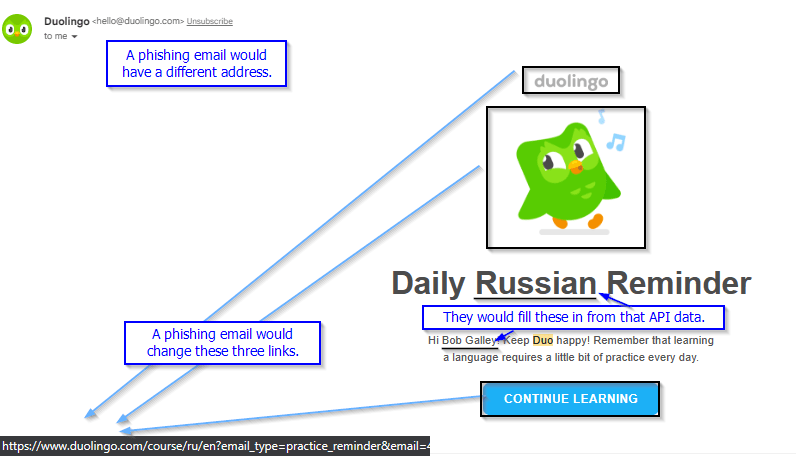
This is one of those real emails. The cyber actors would “scrape” this too – keep it looking the same, but they’d edit a few things.
From: This would have the familiar display name, but the email address would be totally different. On phones, email addresses are not shown by default, so a lot of actors are lazy and use whatever compromised email they can get.
The links would all point to the actor’s fake login page, not to DuoLingo.
They’d also put in a form fill with “fullname” and “learning_language_string” from your API data in the underlined spots.
Something else they might do is gather and filter the data, looking for large targets. DuoLingo has “Super” and “for Business” paid offerings. That’s a money source that the cyber actors can target. If they sort their 2.6 million addresses by the domain (@blah.blah part) , then they have a set of companies they can target. Those email addresses will show the format that company uses – first.last, first only, first initial last name, etc, which the cyber actors can then apply to a company employee list, like say off of LinkedIn.
Cyber actors could then target the company, sending either a phishing-type attack like above, or a fake invoice impersonation to try to convince the company’s AP department that DuoLingo’s bank had changed, or more likely, a fake auto-renewal that was “charged to your credit card.” (No it wasn’t. They just want you to call their 800 number in the email and give them your credit card info.)
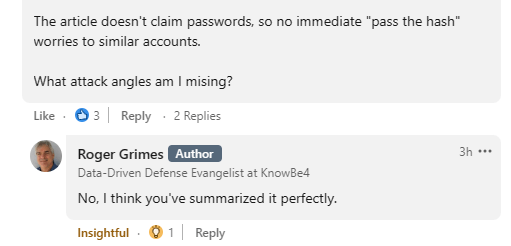
I don’t often play “Red Team”, so I checked my work before posting. And I got a passing grade!
How Do I Protect Myself?
In this case, the main thing is to be aware. When you get an email, think, don’t react. Hover over the address and any links to see where they go – on your phone, press-and-hold to see this.
Another important protection, if you haven’t already, is to make sure to set up multifactor authentication on any accounts you have – even the throwaway apps. I’ve had too many throwaways become useful later. And use different passwords for each. A password manager will help.
 Next On Stage: Off Phishing
You must be logged in to post a comment.